
Best Hotspot Wifi Router of 2026
Keep travel devices connected with best hotspot wifi router picks for public Wi-Fi, phone tethering, or cellular service. Compare practical connection options in November 2026.
 By Daniela Hale
Updated November 19, 2026

Hotel Wi-Fi that requires a separate login for every device can turn a simple trip into a hassle. The best hotspot wifi router depends on whether you need to share an existing connection or get online through a SIM card. The TP-Link Roam 6 and Roam 7 create a private network from public Wi-Fi or a tethered phone, but neither accepts a SIM or eSIM. The separate Portable 4G/5G WiFi Hotspot is described as a SIM-based device, with LTE Cat 4 and support for specified LTE bands. That distinction matters more than a headline speed if you’re planning to work from a hotel, travel in an RV, or connect away from public Wi-Fi.
The listed specifications indicate three different approaches, not three interchangeable travel routers. Roam 6 is a dual-band Wi-Fi 6 option with a 1 Gbps WAN/LAN port and a separate 1 Gbps LAN port, while Roam 7 is dual-band Wi-Fi 7, has no 6 GHz support, and lists a 2.5 Gbps WAN port plus a 1 Gbps LAN port. Both include VPN support and public Wi-Fi sharing; advertised link rates aren’t the same as actual internet speed. The generic hotspot lists a 2100 mAh battery, up to 18 connected devices, and a stated battery life of over 10 hours. Check carrier band and service compatibility before buying it, and confirm the external internet source you’ll use with either Roam model.
| Award | Product | Mesh WiFi Routers Score About Mesh WiFi Routers ScoreMesh WiFi Routers Score is a comparison aid based on available product information, not a hands-on testing result. Read our review methods. | |
|---|---|---|---|
| Best Overall |
Roam 6 AX1500 Portable Wi-Fi 6 Travel Router
|
9.2/10 | Buy |
 Roam 7 BE3600 Wi-Fi 7 Portable Travel Router |
9.1/10 | Buy | |
| Best Budget |
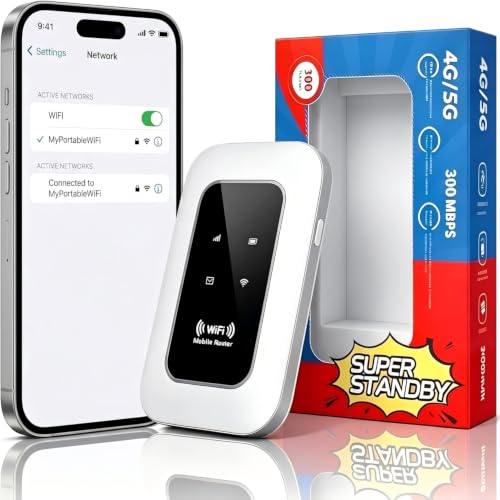 Portable 4G/5G WiFi Hotspot |
8.6/10 | Buy |
Questions to Check Before Buying
Do the Roam 6 or Roam 7 work without another internet connection?
No, both require an external internet source and don’t support SIM cards or eSIM. They can share public Wi-Fi or use phone tethering, so verify the hotel network or your phone plan can provide the connection you need.
Does the Portable 4G/5G WiFi Hotspot include cellular service?
No, the listing describes a SIM card slot, not an included service plan. It specifies LTE Cat 4 and bands B1, B3, B5, and B40, so check carrier compatibility and coverage before relying on it.
Which travel router has the faster advertised Wi-Fi rates?
The Roam 7 lists higher maximum link rates than the Roam 6, but these are advertised Wi-Fi figures, not guaranteed internet speeds. Your source connection, device, placement, and surroundings affect results, and Roam 7 does not support 6 GHz.
Can I connect wired devices to either TP-Link travel router?
Yes, both list Ethernet ports, but their layouts differ. Roam 6 has one 1 Gbps WAN/LAN port and one 1 Gbps LAN port; Roam 7 lists a 2.5 Gbps WAN and 1 Gbps LAN port.
What should I check before using a hotspot for a trip?
Check the connection source, power needs, and compatibility first. The TP-Link models can use USB-C power and require external internet; the generic hotspot lists a 2100 mAh battery and specified LTE bands, but carrier support should be confirmed.
About the author

Daniela Hale is an editor focused on value and troubleshooting within mesh Wi-Fi routers and whole-home wireless networking. Daniela compares published specifications with real-world user reports to help readers avoid common buying mistakes.