
Best Wifi Router to Replace Verizon Fios of 2026
Replace Fios Wi-Fi dead zones with a router that fits your setup. Compare best wifi router to replace verizon fios options and key compatibility details for November 2026.
 By Sofia Vasquez
Updated November 19, 2026
Dead zones and dropped connections can make a Fios setup feel like the weak link, but replacing the router is not as simple as picking the biggest speed number. This roundup of Best Wifi Router To Replace Verizon Fios includes Verizon models, standalone NETGEAR routers, and a TP-Link mesh system, so the right fit depends on how your home is set up. Check whether your Fios service uses a separate router and what connections your equipment needs before buying. A router that connects to a modem or gateway by Ethernet may require a different setup than a Verizon model using MoCA. Matching the hardware to your service matters more than paying for features you won’t use.
The listed options span Wi-Fi 5 mesh, Wi-Fi 6 and Wi-Fi 7, with meaningful differences in bands, ports, management, and whether the product is a single router or a multi-unit system. For example, the TP-Link Deco S4 is a three-unit mesh kit and says a modem is required for most ISPs; the NETGEAR models connect to an existing modem or gateway. Verizon’s G3100 listings include MoCA details, while the NETGEAR Wi-Fi 7 options list multi-gig Ethernet ports. These are manufacturer-provided details, not guaranteed results in your home. Compare the included specifications with your Fios equipment, internet plan, wired-device needs, and floor layout before choosing.
| Award | Product | Mesh WiFi Routers Score About Mesh WiFi Routers ScoreMesh WiFi Routers Score is a comparison aid based on available product information, not a hands-on testing result. Read our review methods. | |
|---|---|---|---|
| Best Overall |
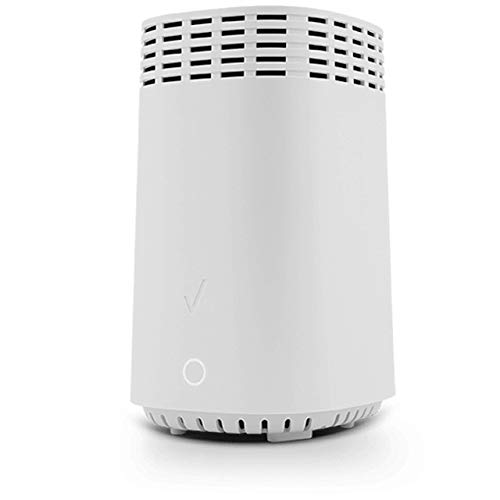
VerizonW 2021 G3100 Home Router (Renewed)
|
8.9/10 | Buy |
| Best Budget |
 NETGEAR Nighthawk WiFi 6 Router R6700AX |
8.8/10 | Buy |
| Best Value |
 TP-Link Deco S4 Mesh AC1900 WiFi System |
8.3/10 | Buy |
| Best Premium |
 NETGEAR Nighthawk WiFi 7 Router |
8.3/10 | Buy |
 NETGEAR Nighthawk WiFi 7 Router RS140 |
8.0/10 | Buy | |
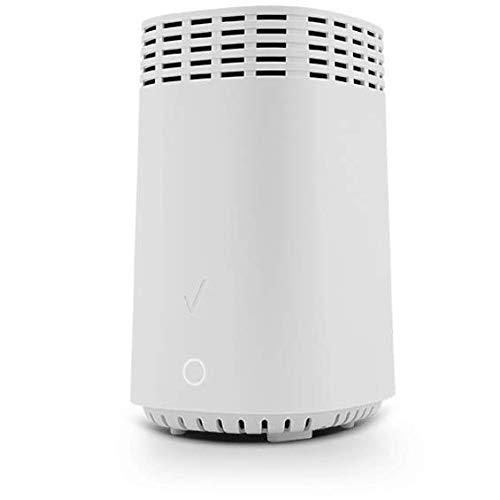 Verizon/Fios Wi Fi Home Router G3100 ,tri band |
7.8/10 | Buy |
Questions to Check Before Replacing a Fios Router
Will a third-party Wi-Fi router work with Verizon Fios?
It may, but confirm your Fios equipment and service requirements before buying. The NETGEAR listings describe Ethernet connections to an existing modem or gateway, while Verizon’s G3100 listings include MoCA details, so check your WAN connection and gateway setup.
Do these router options include a modem?
No, the supplied details do not identify these products as modem-router gateways. NETGEAR says its listed routers pair with an existing modem or gateway, and TP-Link says a modem is required for most ISPs; verify your Fios equipment needs.
Is the TP-Link Deco S4 a single router?
No, it is listed as a three-unit mesh Wi-Fi system, not a standalone router. Its product details specify Wi-Fi 5 dual-band operation, app setup, and two gigabit Ethernet ports per unit; confirm the kit suits your layout.
Which listed routers have multi-gig Ethernet?
The NETGEAR Nighthawk Wi-Fi 7 models list multi-gig Ethernet: the tri-band model has two 2.5G ports, and the RS140 has one. Check the stated WAN and LAN roles and whether your Fios equipment can use those connections.
Should I choose Wi-Fi 7 or a mesh system?
Choose based on your devices, home layout, and connection needs rather than the Wi-Fi label alone. The NETGEAR Wi-Fi 7 listings include dual-band and tri-band choices, while Deco S4 is a three-unit mesh kit; actual coverage varies by home.
About the author

Sofia Vasquez is a product writer covering mesh Wi-Fi routers and whole-home wireless networking. Sofia focuses on turning specification sheets and published test data into clear comparisons that help readers match a product to their budget and needs.