
Best Router for Hotel Wifi of 2026
Keep hotel Wi-Fi simpler by sharing one private network across your devices. Compare best router for hotel wifi in November 2026 and check connection needs before buying.
 By Victor Takahashi
Updated November 19, 2026

Hotel Wi-Fi can mean signing in through a captive portal, then repeating the process on every device. A travel router can help by connecting to that public network and sharing a private Wi-Fi network, but it still needs an external internet source and won’t turn a weak hotel connection into a faster one. This roundup of Best Router For Hotel Wifi includes portable models from TP-Link and GL.iNet, alongside two standard home routers that may suit a different use case. The distinction matters: a home router generally connects to a modem, while a travel router is designed for portable connection options such as public Wi-Fi or phone tethering. Check what the hotel allows and how its sign-in page works before relying on a router.
The listed travel models vary in Wi-Fi generation, wired ports, power options, and support for VPN protocols, so the most useful choice depends on your devices and travel routine. The TP-Link Roam 6 options support dual-band Wi-Fi 6, while the Roam 7 is a dual-band Wi-Fi 7 model that does not support 6 GHz. The GL.iNet Mango is a compact 2.4 GHz-only option with OpenWrt and an admin panel. The NETGEAR Nighthawk and TP-Link Archer are conventional home routers, not pocket travel routers. Compare the manufacturer-stated features carefully, and remember that advertised link rates aren’t a promise of hotel internet speed. For any model, check current setup instructions and power requirements before packing it.
| Award | Product | Mesh WiFi Routers Score About Mesh WiFi Routers ScoreMesh WiFi Routers Score is a comparison aid based on available product information, not a hands-on testing result. Read our review methods. | |
|---|---|---|---|
| Best Overall |
Roam 6 AX1500 Portable Wi-Fi 6 Travel Router
|
9.2/10 | Buy |
| Best Premium |
 Roam 7 BE3600 Wi-Fi 7 Portable Travel Router |
9.1/10 | Buy |
| Best Budget |
 TP-Link Roam 6 AX1500 Portable Wi-Fi 6 Travel |
8.8/10 | Buy |
| Best Value |
 NETGEAR Nighthawk WiFi 6 Router R6700AX |
8.8/10 | Buy |
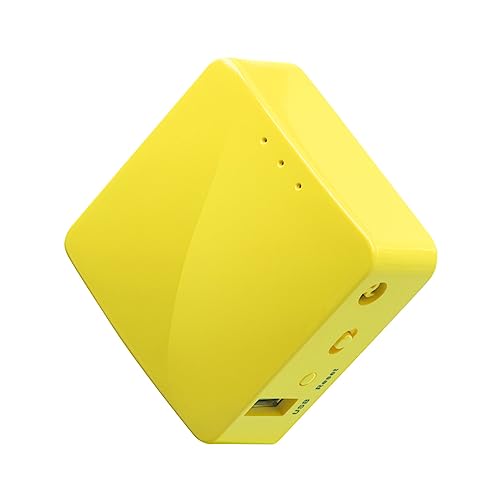 GL.iNet GL-MT300N-V2 (Mango) |
8.6/10 | Buy | |
 TP-Link AX1800 WiFi 6 Router (Archer AX21 V5) |
8.4/10 | Buy |
Questions to Check Before Buying
Does a hotel travel router include a modem?
No, the listed travel routers require an external internet source rather than acting as a modem-router gateway. They can connect to public Wi-Fi or, where supported, phone tethering; check the hotel network’s sign-in requirements and your phone’s tethering options.
Can these routers handle a hotel captive portal?
Some can: the TP-Link Roam 6 and Roam 7 listings describe one-step captive portal authentication through the Tether app. Hotel portals vary, though, so verify the current setup steps and whether the property permits a router before your stay.
Which listed models support dual-band Wi-Fi?
The Roam 6 models and Roam 7 are listed as dual-band, while the GL.iNet Mango is 2.4 GHz only. The Roam 7 does not support 6 GHz, so confirm band support against your devices rather than assuming Wi-Fi 7 includes it.
Can I power a travel router from a power bank?
Yes, the TP-Link Roam 6 and Roam 7 listings specify USB-C power from a suitable power bank. The Mango listing also describes USB power, while the Roam 6 specifies a 5V/3A source; check each model’s stated power needs.
Are the NETGEAR Nighthawk and TP-Link Archer travel routers?
No, both are standard home Wi-Fi routers, and the Archer requires a separate modem. The Nighthawk connects to an existing modem or gateway, so these may fit home use better than hotel packing; verify the ISP and setup requirements.
About the author

Victor Takahashi is a product writer covering mesh Wi-Fi routers and whole-home wireless networking. Victor focuses on turning specification sheets and published test data into clear comparisons that help readers match a product to their budget and needs.